A cleaner menu and one place for help
The main menu is now a compact, fast list with everything in clear sections, and FAQ, contact, reporting, safety and company info now live together on one Help & Contact page.
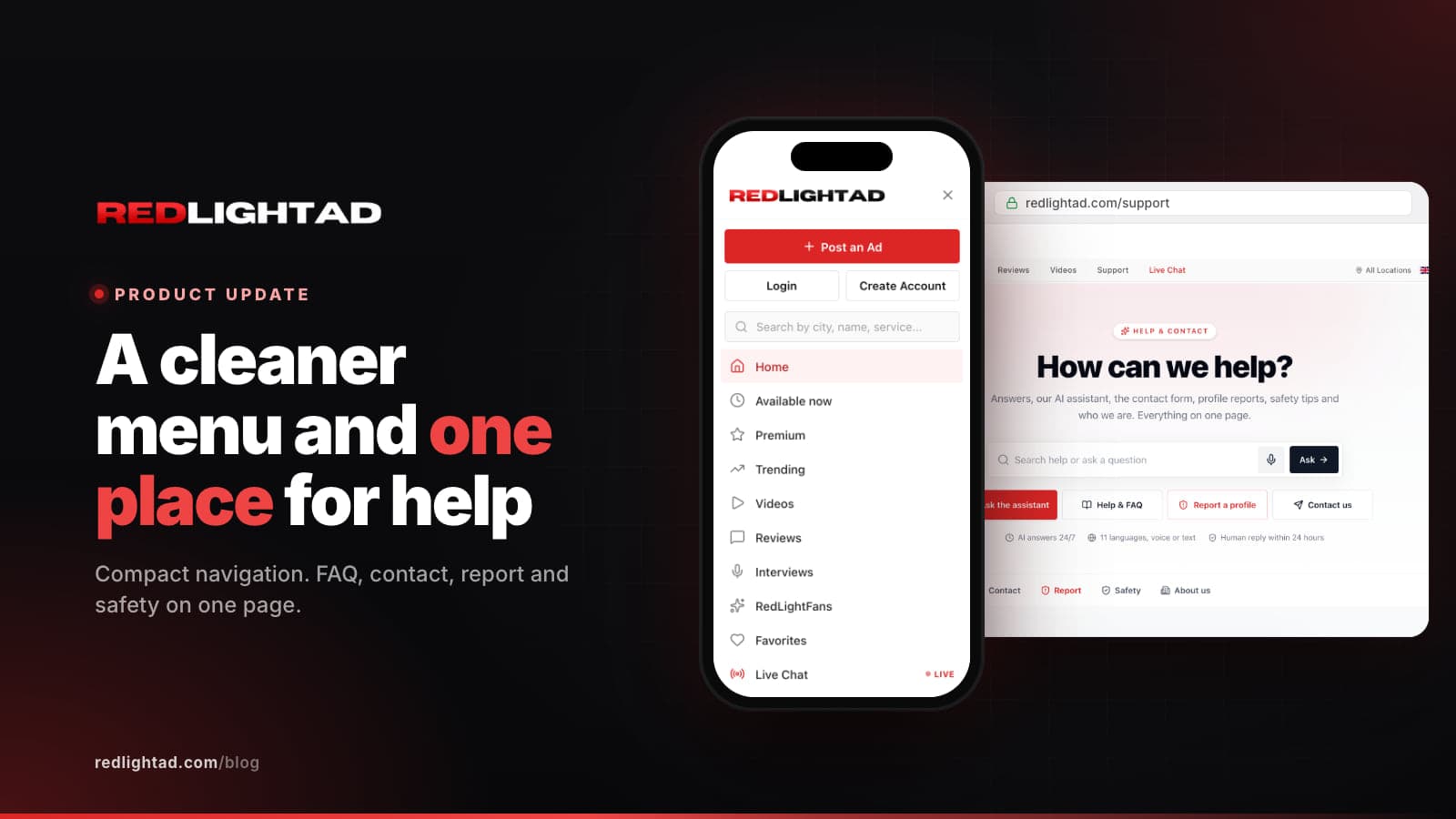
Two small changes that you will notice every day: the main menu is simpler, and all our help pages are now one page. Both came from the same idea. You should find what you need in one tap, not three.
The new menu
Open the menu (the three lines in the top right corner) and you get a slim panel that slides in from the side. It works the same on phone and desktop:
- At the top: Post an Ad, or your account if you are logged in, plus a search field for names, cities and services.
- Browse: Home, Available now, Premium, Trending, Videos, Reviews, Interviews and your Favorites in one flat list.
- Show me: quick chips to filter by Women, Men, Trans or Couples.
- Account (when logged in): your dashboard, messages with an unread counter, and settings.
- More: Help & contact, Badges & verification, the blog and the free app.
- At the bottom: your country, your language and light or dark mode, always in the same place.
Every row has the same height and a simple line icon, so it is quick to scan. The menu closes when you press Escape, tap outside it or open a page, it can be used fully with a keyboard and screen reader, and it respects the safe areas on modern phones.
One Help & Contact page
We used to have separate pages for help, FAQ, contact, reporting, safety and "about us". Information was spread out, and some of it was repeated in slightly different words. All of it now lives on one page, with a small menu that keeps your place as you scroll:
- Assistant: ask a question by text or by voice and get an answer straight away, in your language.
- Help & FAQ: answers to the most common questions about accounts, profiles, Premium, payments and verification.
- Contact: one form that goes straight to our support team.
- Report: report a profile or content. Reports are confidential and can be anonymous.
- Safety: practical tips for advertisers and visitors, and emergency numbers.
- About us: who we are and what we stand for.
The old addresses still work. Links to /help, /faq, /contact, /report, /safety and /about take you to the right section of the new page automatically.
Why we did it
Most people open a help page for one of three reasons: they have a question, they want to reach us, or something is wrong and they want to report it. Putting those next to each other means nobody has to guess which page to try first, and safety information is always one scroll away.
The footer got the same treatment. It is now four short columns (Browse, Locations, Advertisers, Help & Contact) and one row for legal pages, instead of a long list of links.
Tell us what you think
If something in the new menu is hard to find, or a question is missing from the FAQ, send us a message through the contact form. We read everything, and the FAQ is updated from the questions we receive.